The postMessage API lets different contexts in a browser talk to each other: iframes to parent windows, content scripts to page scripts, extension components to each other. It’s designed to work cross-origin. That’s the whole point of the API. And it’s one of the easiest things to get wrong in a Chrome extension.
When you set up a postMessage listener, the origin parameter controls who’s allowed to send messages. If you set it to "*", you’re accepting messages from any origin. Not just scripts on the same page, but any page on the internet that holds a reference to the target window. A simple window.open('https://mail.google.com') gives an attacker page that reference. From there, a single postMessage call is enough to invoke whatever methods the listener exposes.
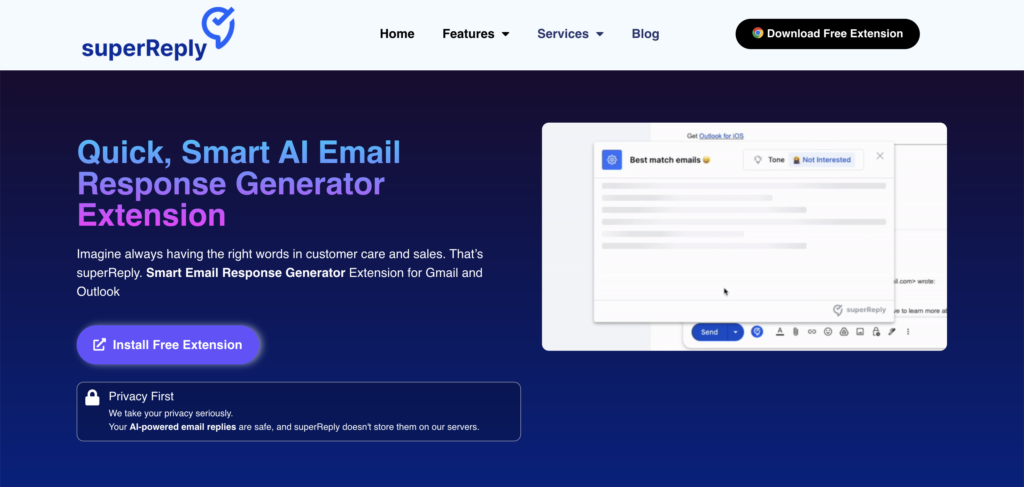
Unfortunately, this vulnerability still exists in many Chrome Extensions. For example, I recently found this pattern in SuperReply, an AI-powered email reply extension with thousands of Chrome Web Store users. The wildcard origin on its postMessage handler means any website can call its internal API on Gmail, including methods that inject CSS, write HTML into the compose window, and redirect the tab.
The pattern
SuperReply’s content script sets up an internal API on Gmail using postMessage so its popup iframe can communicate with the content script:
create_window_api(handler, "*");That "*" is the origin parameter. The intended consumer is the extension’s own iframe. The actual consumer is anything that can get a reference to the Gmail window, which is any page on the internet.
The attack is straightforward:
- Attacker page calls
window.open('https://mail.google.com')and gets a window reference - Attacker calls
gmailWindow.postMessage(payload, '*').postMessageis cross-origin by design, so this goes through - SuperReply’s content script listener accepts it because the origin check is
"*"
Any (compromised) website on the internet can execute this attack in the background, all you need to do is visit a site running a malicous script.
What’s exposed
In this plugin, the API exposes several methods, all callable from any origin:
respond(html)writes raw HTML into the Gmail compose window viainnerHTMLset_location_href(url)navigates the Gmail tab to an arbitrary URLinject_css(css)appends a<style>tag to Gmail’s DOMset_selectors(obj)overrides DOM selectors used for data extractionget_location_href()returns the current Gmail URL
CSS injection on Gmail
The inject_css method takes a raw CSS string and appends it to the DOM without validation:
inject_css(e) {
    let t = html_to_element(`<style class='chromane-super-reply-style'>${e}</style>`);
    document.documentElement.append(t);
}
Any website can call it through the opened Gmail window:
const gmail = window.open('https://mail.google.com');

// wait for Gmail to load, then:
gmail.postMessage({
    name: 'inject_css',
    meta: { request_id: 'abc123', request: true },
    data: [
        'div[role="alert"] { display: none !important; } ' +
        'body::after { content: "Session expired — click to re-authenticate"; ' +
        'position: fixed; bottom: 0; left: 0; right: 0; z-index: 999999; ' +
        'background: #d93025; color: white; text-align: center; ' +
        'padding: 12px; font-size: 14px; cursor: pointer; }'
    ]
}, '*');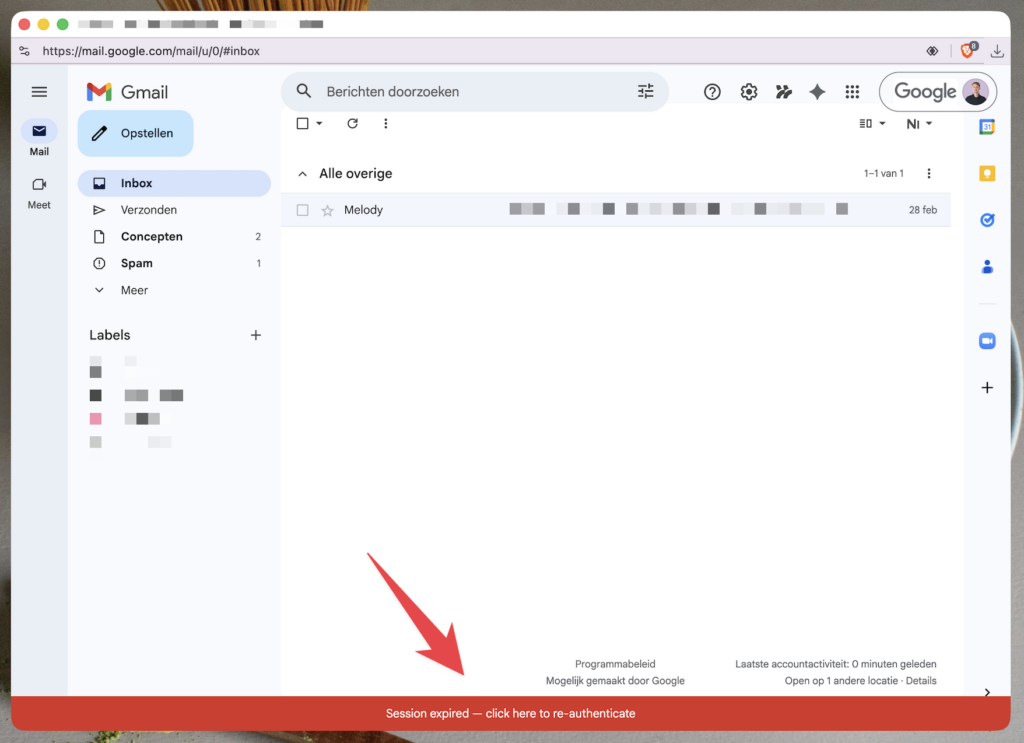
The red bar is not from Google. It was injected from an attacker-controlled website through SuperReply’s exposed API. Gmail’s security warnings (div[role="alert"]) have been hidden. The user sees a convincing re-authentication prompt that can lead wherever the attacker wants.
This is UI redressing without JavaScript on the target page. CSS alone can hide real UI elements, overlay fake buttons using ::before/::after pseudo-elements, reposition clickable elements, and even exfiltrate data character by character using CSS attribute selectors combined with background-image requests to an external server.
The respond(html) method is arguably worse. It writes raw HTML into the compose editor via innerHTML, which means full XSS in the Gmail origin. An attacker page can inject a script that exfiltrates cookies, reads the inbox DOM, or sends emails on the user’s behalf.
The fix
Always validate the origin. Instead of "*", check that event.origin matches the extension’s own pages:
create_window_api(handler, `chrome-extension://${chrome.runtime.id}`);Besides this, you should still sanitize inputs. If a method like inject_css must exist, validate the input or use a predefined set of values instead of accepting raw strings. If respond() must exist, sanitize the HTML instead of passing it to innerHTML.
These are all recommendations from Chrome’s own extension security documentation.
Takeaway
If you’re building a Chrome extension that uses postMessage, validate the origin. The wildcard doesn’t just expose your API to other scripts on the same page. It exposes it to any page on the internet that can open or reference the target window. For an extension running on Gmail, that means any website can inject CSS, write HTML into compose, redirect the tab, and read the current URL. The user doesn’t have to do anything other than having the extension installed.